
Google Developer Group
Quito – Tsáchilas



 linkedin.com/in/leoburbano

Prerequisites
 Python
 Node.js
 uv
uv Antigravity / IDE
 AI Studio
Prerequisites
Install and configure these tools before starting the workshop
- 1
Python
InstallLanguage for the ADK agent and FastAPI backend. Download the latest stable release.
- 2
Node.js
InstallRuntime for the workshop Next.js frontend.
- 3
uv
InstallPython package and environment manager. Replaces pip and virtualenv.
- 4
Google Antigravity or any IDE
InstallCode editor with agent support. Antigravity, Cursor, or VS Code all work well.
- 5
Google AI Studio
InstallSign in with a Google account to access Gemini models and test prompts.
- 6
Google Cloud Agents CLI
Install the official CLI and skills to build agents on Agent Platform.
uvx google-agents-cli setupAgents CLI documentation
Clone and create your agent
Set up the local project from the workshop repository
- 7
Clone the GitHub repository
View GitHub repositoryDownload the workshop code to your machine.
git clone https://github.com/leonardoburbanov/gemini-enterprise-agent-platform-workshop.git - 8
Enter the repository
Move into the cloned project directory.
cd gemini-enterprise-agent-platform-workshop - 9
Get a Gemini API key
Open AI StudioCreate an API key in AI Studio with your Google account.
- 10
Create your first agent
Scaffold a prototype ADK agent with your API key.
uv run agents-cli create buildaiagent --agent adk --prototype --api-key <your-api-key-here>
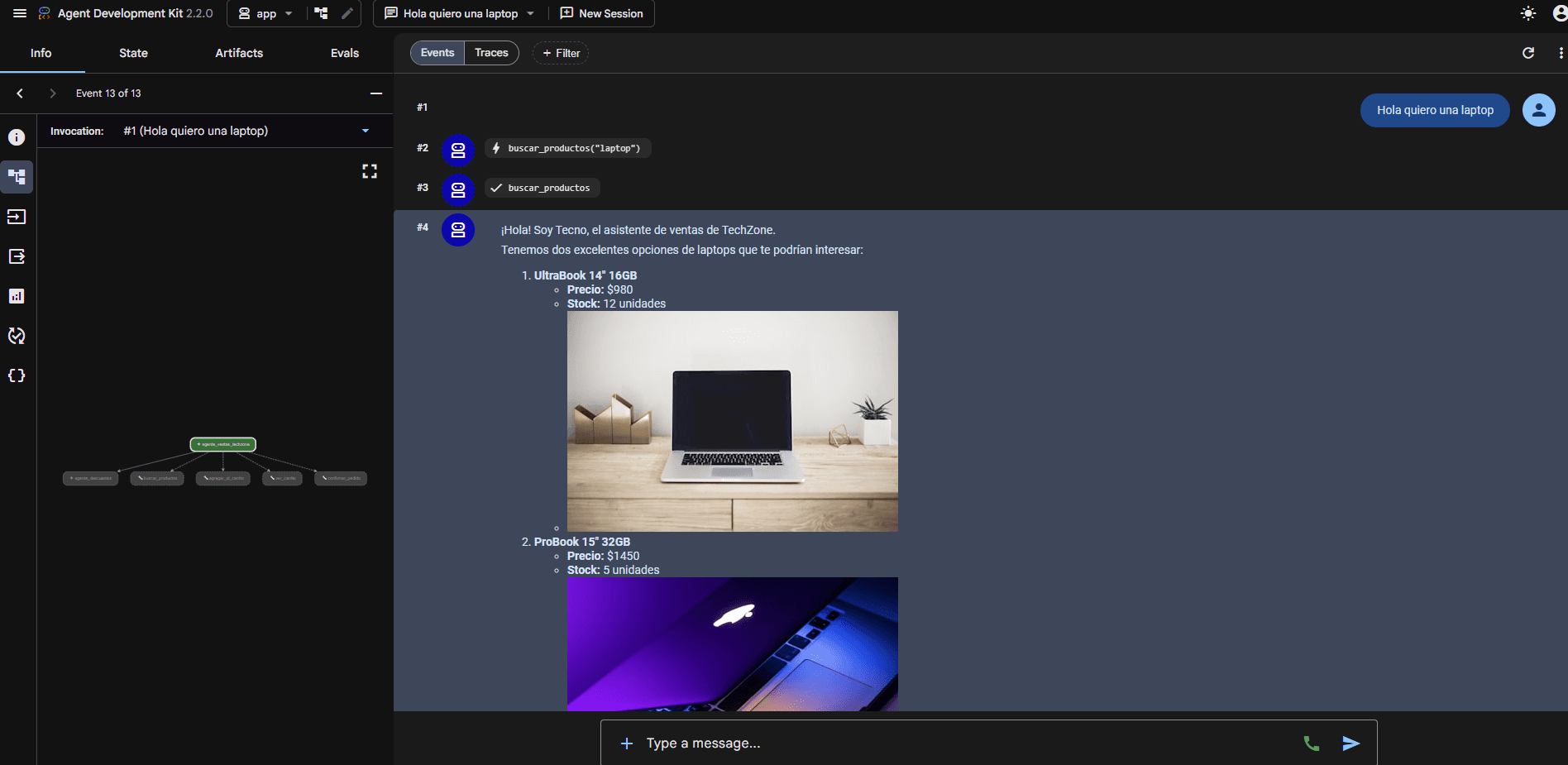
Test in the playground
Iterate on tools and instructions before deploying
- 11
Open the playground
Launch the local ADK UI with hot reload.
agents-cli playground
Optional: Google Cloud
If you want to do it with Google Cloud, follow these steps
- 1
Log in to Google Cloud
Authenticate your GCP account interactively.
agents-cli login -i - 2
Create an agent step by step
Interactive wizard to configure the agent in the cloud.
agents-cli create -i - 3
Deploy the agent
Publish the agent to Vertex AI Agent Runtime.
agents-cli deploy --deployment-target agent_runtime --project navbeai
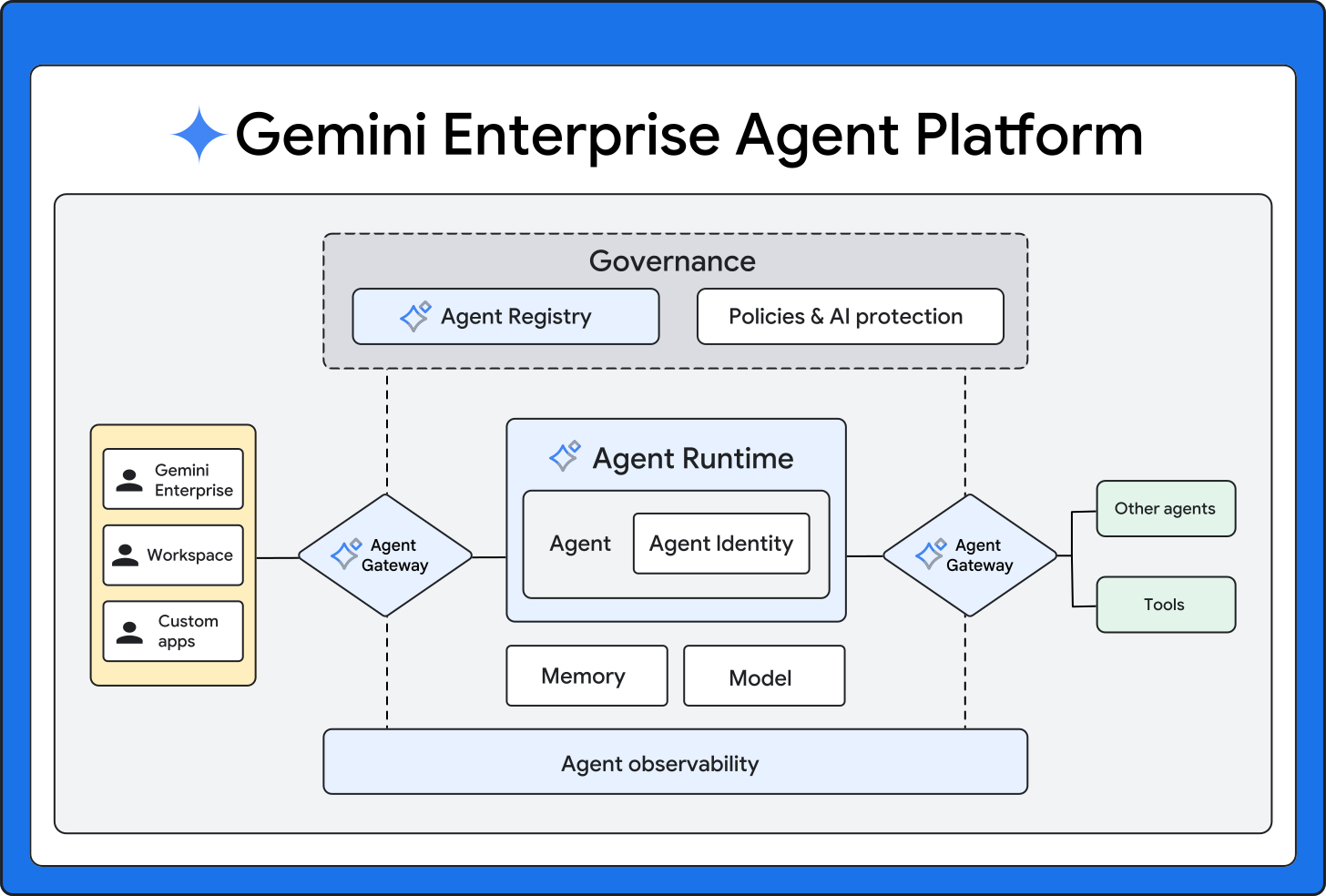
Production architecture
What we will deploy and demo in the workshop
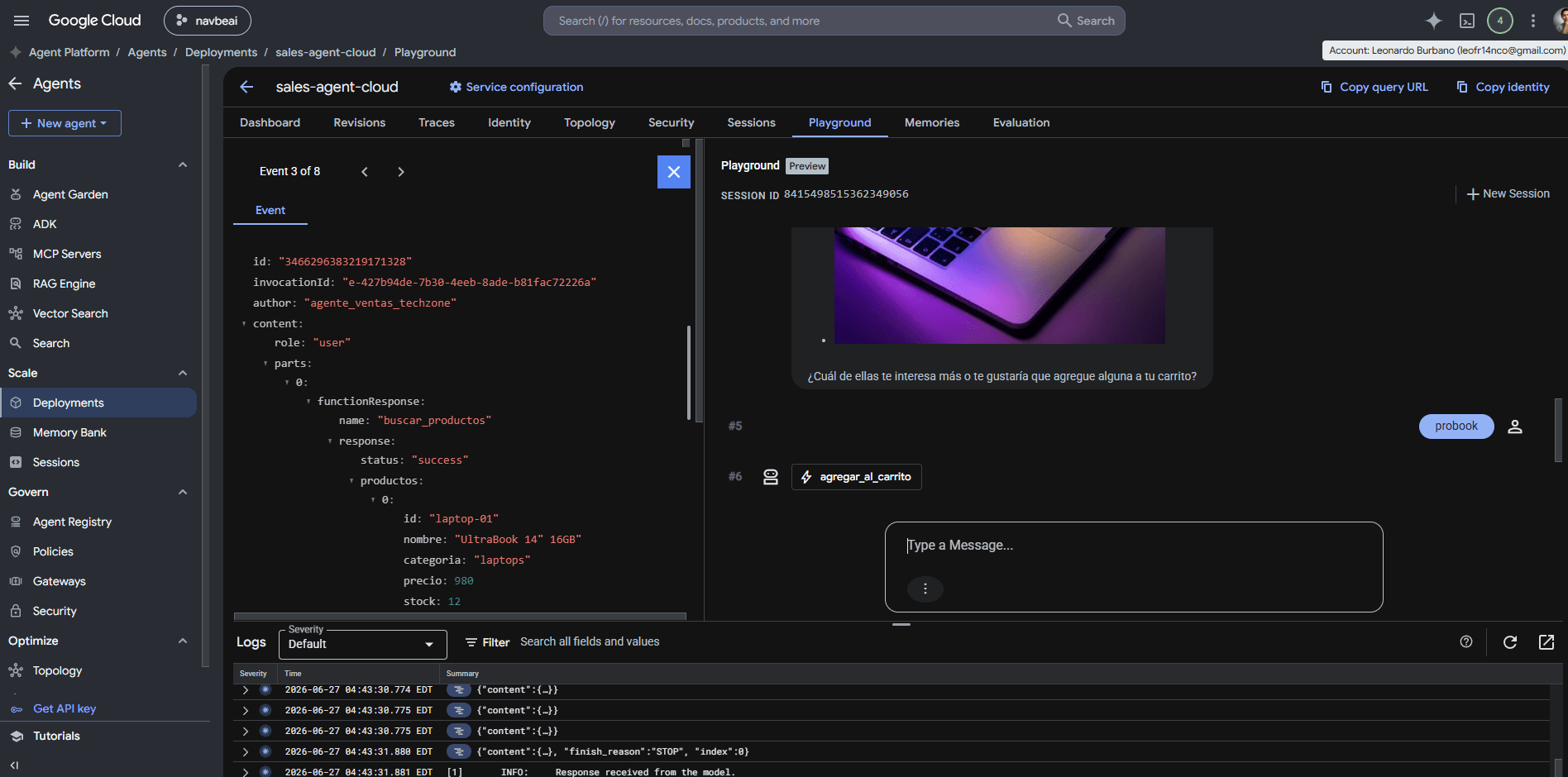
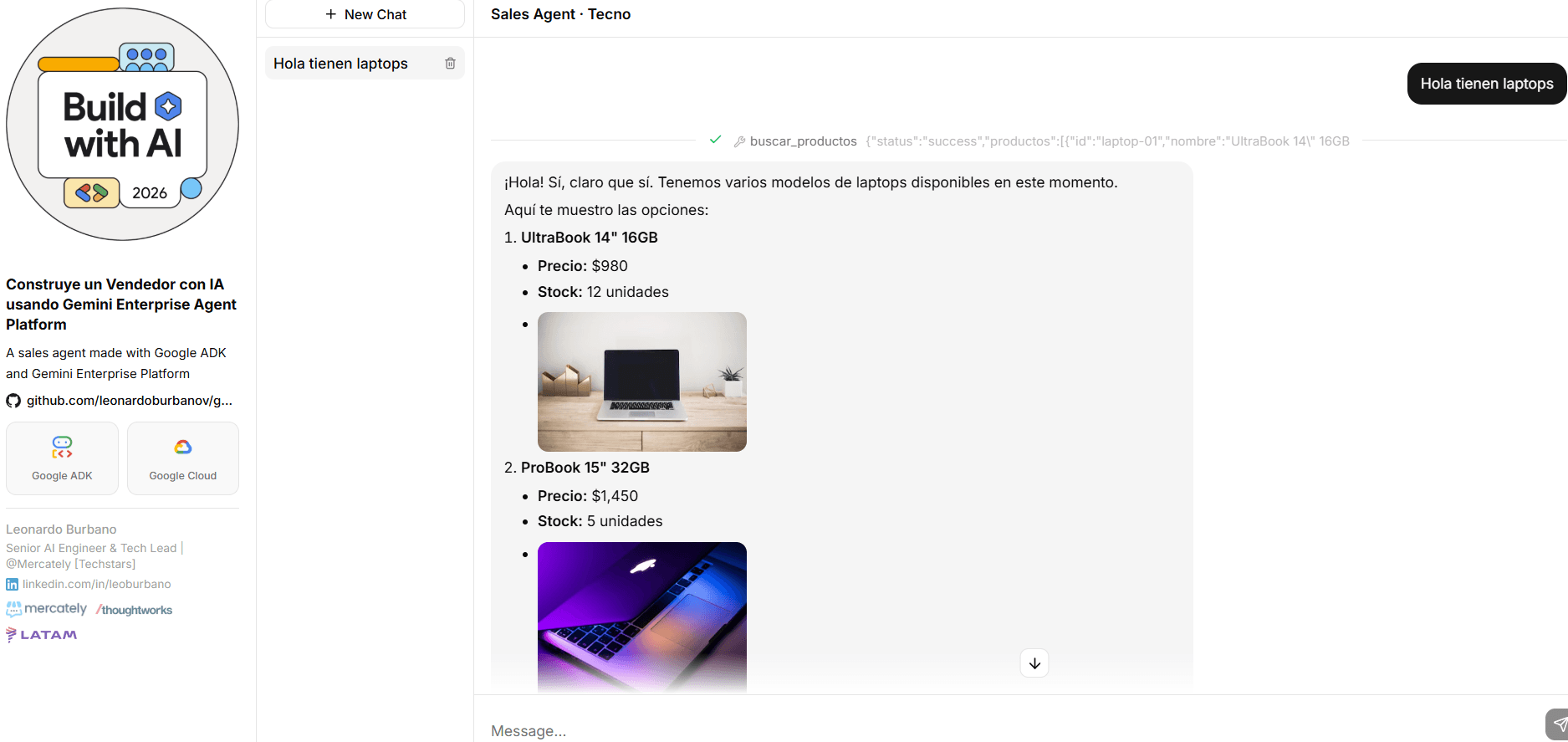
Local playground of the production agent
Now let's look at the local playground of the agent that is in production.
We'll try it out to see what's happening in Google Cloud.
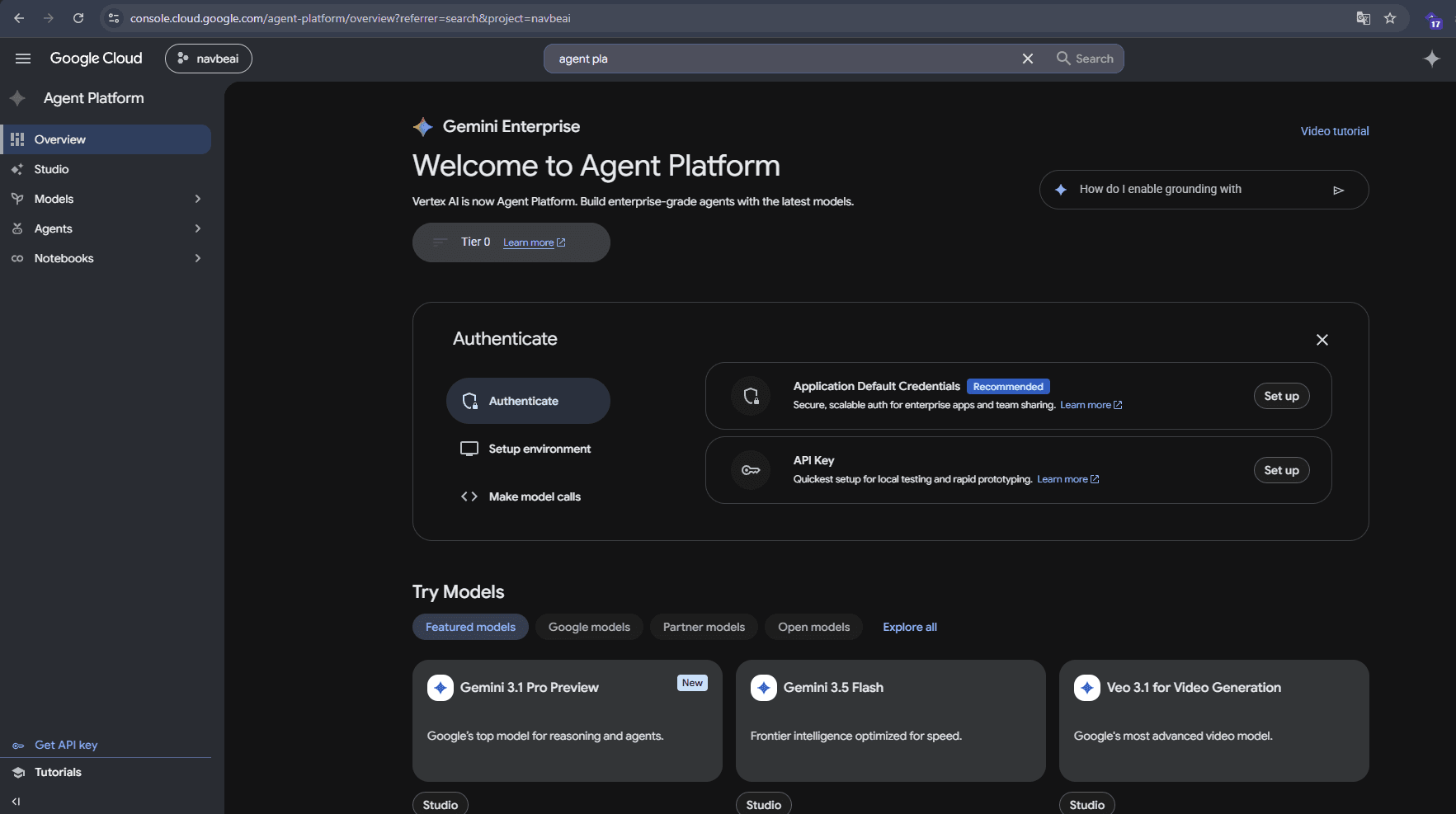
Gemini Enterprise Agent Platform
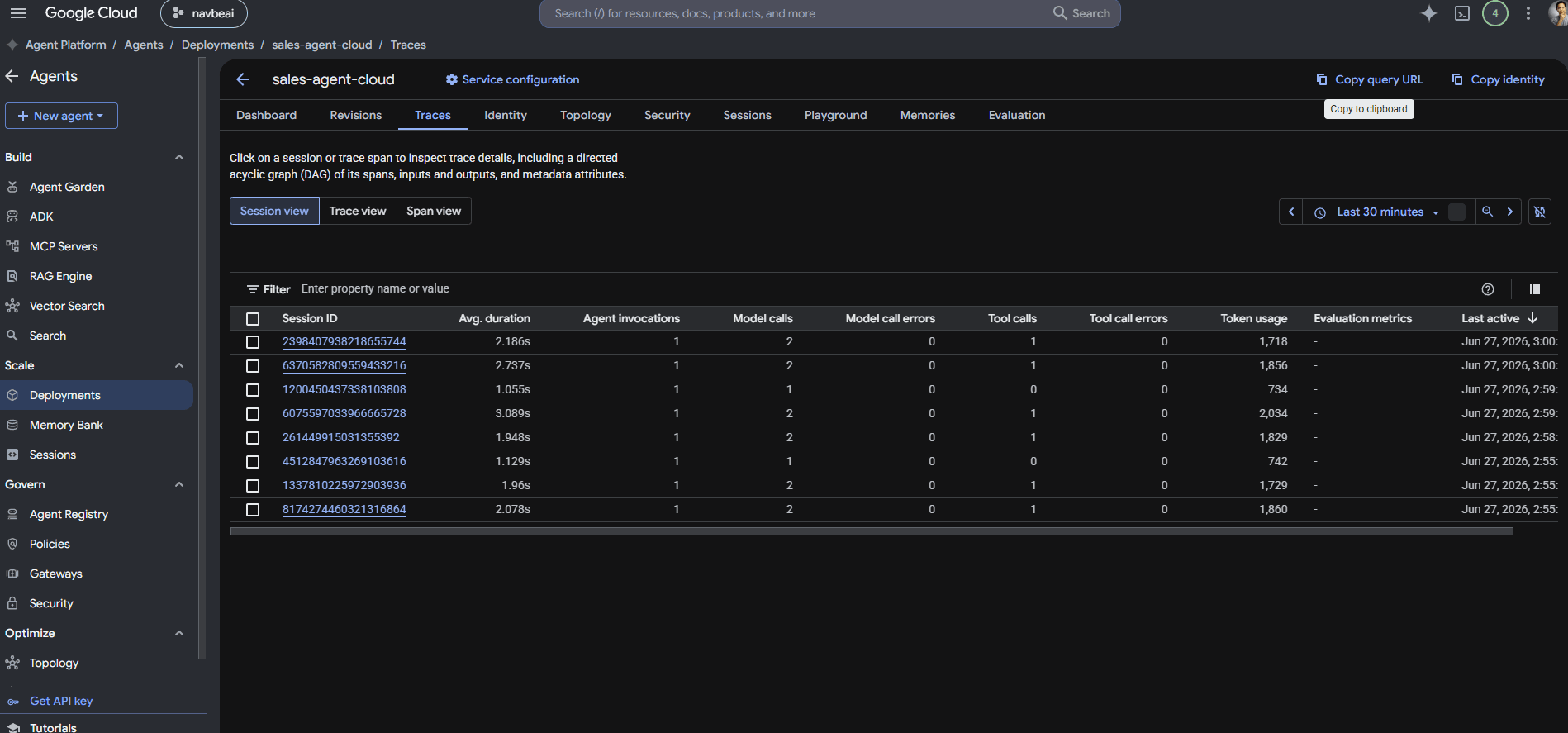
Production agent on Google Cloud
Traces and sessions
Cloud playground
Thank you!
We hope you enjoyed the workshop
Final result
Demo links
Presenter

Leonardo Burbano
Senior AI Engineer & Tech Lead | @Mercately [Techstars]